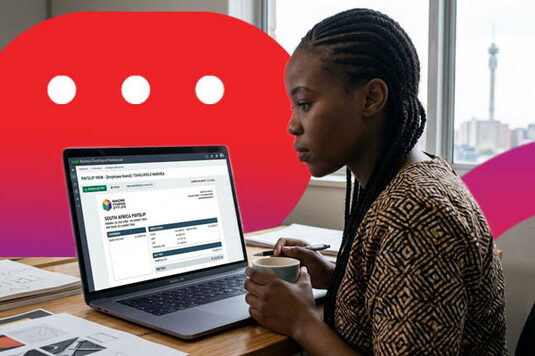
How to Download and Check Your e-Payslip for a Personal Loan Application
Applying for a personal loan is meant to be simple, but nothing slows the process down quite like scrambling for the right paperwork at the last minute. One of the most important documents you’ll need is your payslip, which proves your income and helps your lender assess your application quickly and accurately.
If you receive an e-payslip, let us guide you through downloading and getting it ready for your loan application.
What Is an e-Payslip and Why Is It Needed?
An e-payslip is the digital version of your monthly pay record. Instead of a printed slip, your employer sends it electronically or makes it available online.
Lenders will ask for your payslip because it proves your income, and under the National Credit Act, credit providers must run an affordability assessment before approving any loan. Your payslip shows what you earn and what you take home, which helps a lender check that a repayment fits within your budget.
How to Access and Download Your e-Payslip
Most South African employers no longer hand out paper payslips; instead, they use an online payroll or HR self-service system. Depending on where you work, your payslip is likely available through one of the following:
- Employer HR or payroll portal: Here you log in with your work credentials, find the payslip or payroll section, and download the latest slip.
- Employee self-service system: Many companies use a self-service platform where you can view and save your payslips at any time.
- Email delivery: Some payroll systems email your payslip directly each month. Search your inbox for the sender or the word “payslip”.
- Request from HR or payroll: If you cannot find it, simply email your HR or payroll department and ask them to send your most recent slips.
What a Valid South African Payslip Must Contain
Under Section 33 of the Basic Conditions of Employment Act (BCEA), every payslip must include certain details. Before you submit yours, check that it clearly shows:
- Employer’s name and address
- Your name and ID number
- The payment period (e.g. August 2026)
- Gross pay (your earnings before deductions)
- Deductions, such as PAYE, UIF, and pension contributions
- Net pay (the actual amount paid into your account)
If any of these are missing, your payslip may not be accepted, so it is worth a quick review.
How to Check Your Payslip Before Submitting
A minute of checking now saves delays later. Run through this short list:
- Confirm it is recent.
- Check your details are correct.
- Make sure it is complete.
- Ensure all information is clear & readable.
How to Send or Upload Your Payslip
Once your payslip is ready, submitting it is easy. Keep these practical pointers in mind:
- Use PDF format for a clean, professional file.
- Scan or photograph clearly so every figure is legible.
- Watch the file size. A file that is too large may not upload, so compress it if needed.
- Choose your method: upload it through the online application, or email it.
- Password-protected: Ensure the payslip is free of protection for easy access by the lender.
Ready to Apply with Atlas Finance?
Downloading and checking your e-payslip is straightforward once you know the steps. A little preparation can make the application process smoother.
At Atlas Finance, you will need your latest payslip, a three-month bank statement, and a copy of your ID. With those ready, you can apply today at atlasfinance.co.za/apply-loan and take the next step with confidence.
